LEGO TV
Designing a Smart TV video experience for young LEGO fans
- Role
- Sole Product Designer
- Timeline
- 3-Month Delivery
- Team
- 1 Designer, 1 PM, 1–2 Developers, 1 QA
- Platform
- Samsung Smart TV
Overview
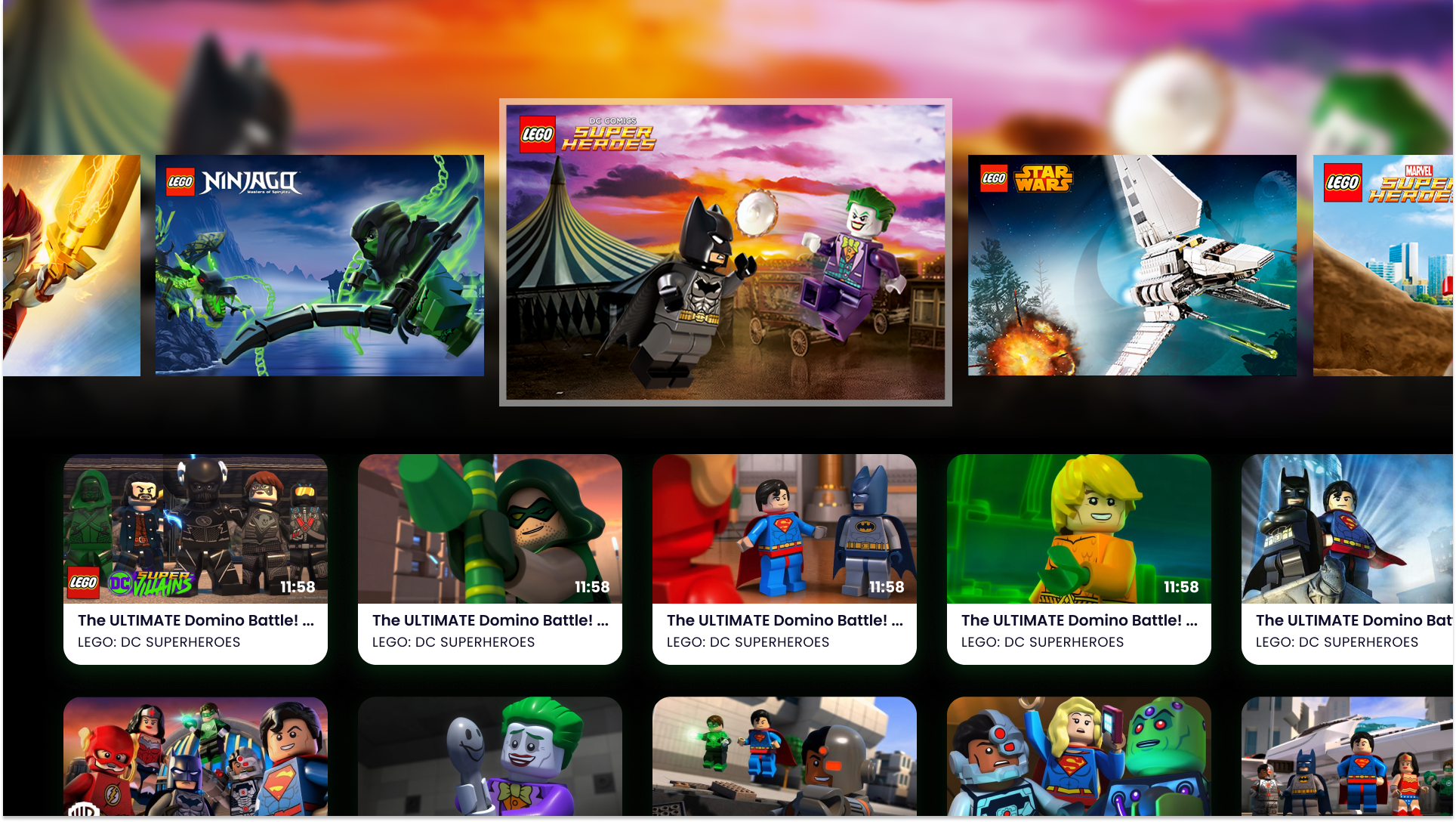
Designing LEGO's first video experience for TV. I led product design for a LEGO Smart TV application that allowed children to browse LEGO themes, playlists, and videos in a simple, remote-friendly experience.
Designed from the ground up for TV, the app focused on making video discovery easy and entertaining for young LEGO fans.
Role
I was the sole designer on the project, responsible for discovery, workshop planning, UX/UI design, and usability testing.
I worked closely with the client, PM, developers, and QA throughout the project, moving quickly from discovery into design and validation within a 3-month delivery timeline.
Users & Context
The experience was designed for young LEGO fans, primarily children aged 6–10, with content also supporting children as young as 4.
Because the app was built for Smart TV, the interaction model needed to support simple, remote-based navigation that children could understand quickly.
Goals
- Design LEGO's first Smart TV video experience
- Make browsing and playback simple for children
- Organize video content around LEGO themes and YouTube playlists
- Deliver a functional MVP within 3 months
- Validate the experience through usability testing with children
Challenges
- Delivering a Smart TV MVP within a tight 3-month timeline
- Making remote-based navigation simple enough for young children
- Fitting discovery and usability testing into an already compressed schedule
- Following LEGO's brand and brick usage guidelines
- Balancing design quality, feasibility, and fixed project scope
Discovery workshop
Aligning around LEGO’s vision and young viewers’ needs I planned and facilitated a discovery workshop with LEGO in Billund to align on the product vision, target audience, and early concepts for a Smart TV experience.
Through exercises around competitors, success criteria, user needs, and home screen concepts, we clarified how the app should support children browsing LEGO video content on TV.
A key outcome was narrowing the interaction focus to children aged 6–10, who were more likely to navigate the app independently.
Research & Validation
Testing the experience with young viewers
I planned and conducted usability testing with six children aged 6–10 using the LEGO TV application on a Samsung Smart TV.
The test focused on core tasks: finding a LEGO theme, selecting a video, using player controls, switching videos, and returning to the home screen.
The children had very little difficulty using the app itself. Most friction came from not being familiar with the TV remote and Samsung Smart Hub.
- Children understood the core navigation quickly once inside the app
- Most confusion came from the TV remote, not the interface
- All participants needed help launching the app from Samsung Smart Hub
- A clearer close button made exiting the player more obvious
- A now playing indicator made the active video clearer in the playlist
Workshop & Testing
A few moments from the discovery workshop and usability testing sessions that helped shape the product direction.
During testing, the children enjoyed exploring the app and were excited to be among the first to try it.
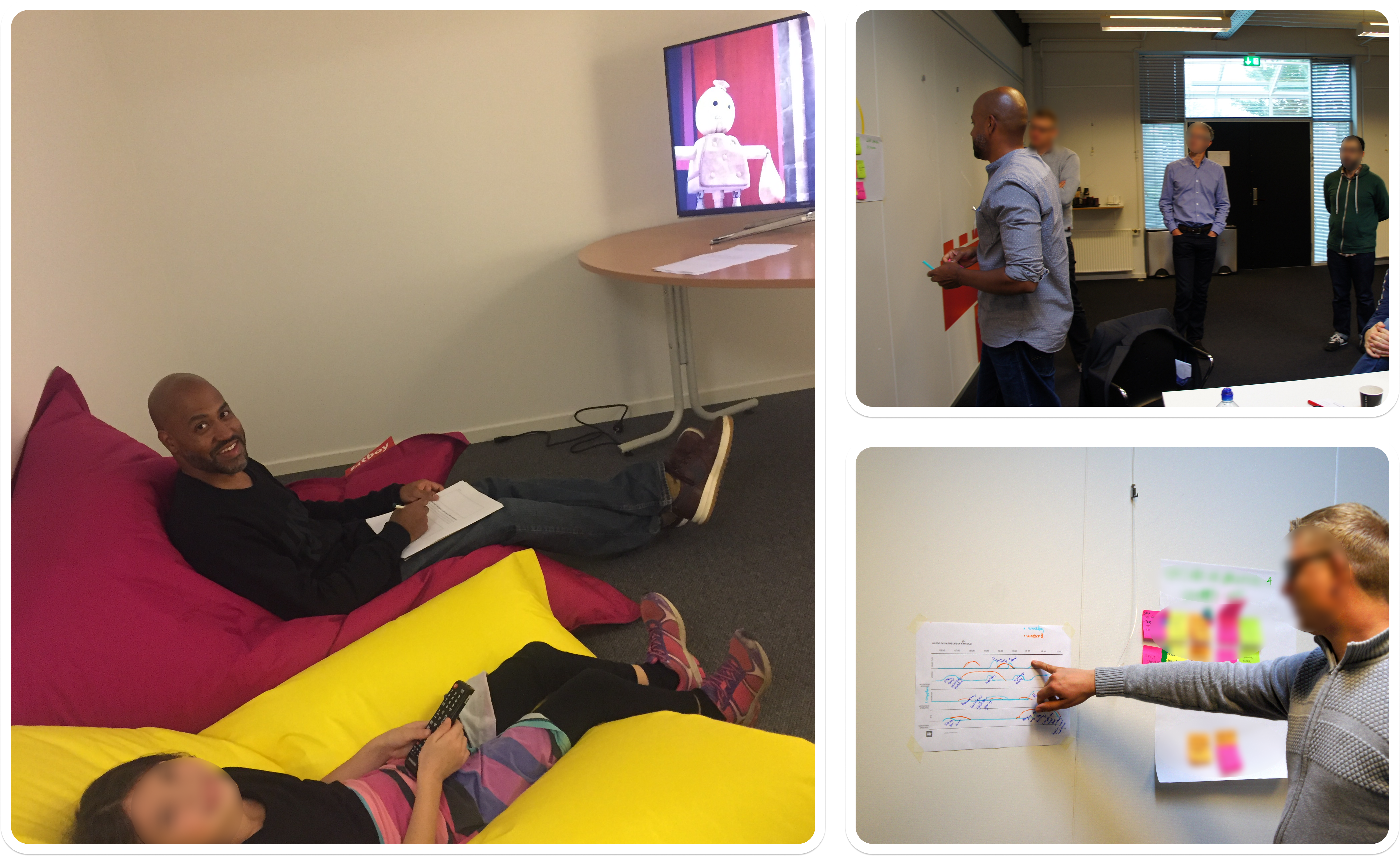
Workshop planning, collaborative exercises, and usability testing helped align the team around a simple TV experience for young LEGO viewers.
Design journey
Wireframes
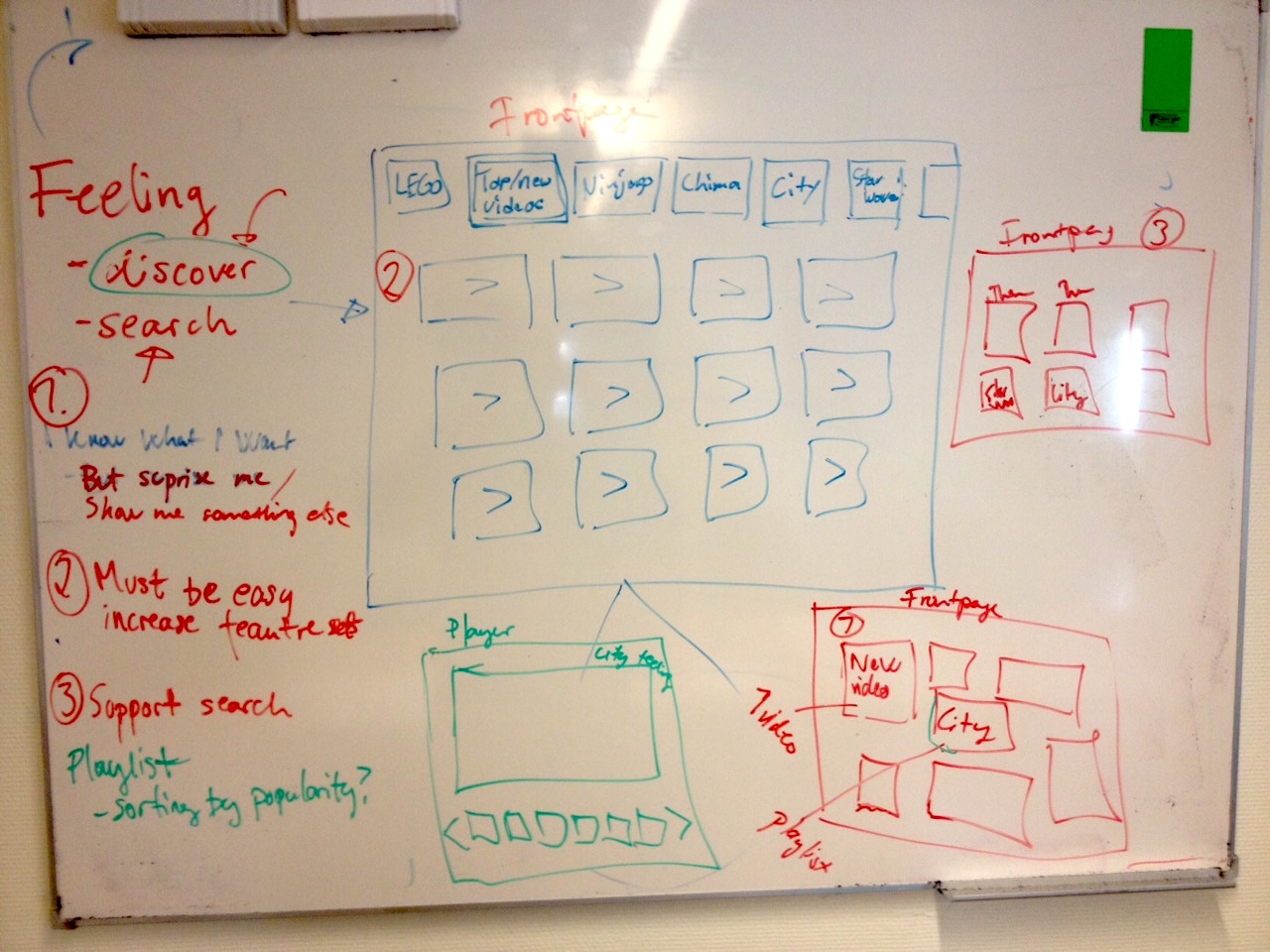
We used sketches and wireframes to explore how children could browse LEGO themes, discover videos, and move between home and playback using a TV remote.
The work helped us compare more playful theme-driven concepts with simpler content-first layouts before narrowing the interaction model for testing.
1 / 4
Early sketch and concept exploration for LEGO TV wireframes
Early sketch exploring how LEGO themes, visual atmosphere, and content areas could come together in a TV-first browsing experience.
Design journey
UI Design
After narrowing the structure in wireframes, I moved into UI design for the Smart TV experience.
The visual direction focused on making the app feel clearly LEGO while keeping navigation simple, readable, and remote-friendly for children.
1 / 3
Home screen — theme browsing
Theme-based browsing used large LEGO visuals and clear focus states to help children explore familiar worlds with a TV remote.
Outcome
We delivered a functional MVP for a LEGO Smart TV video experience within 3 months.
The application was well received by the LEGO stakeholders we worked with and validated positively with children during usability testing.
Although the product was not launched due to a later change in internal direction at LEGO, the project demonstrated a clear, child-friendly TV experience and helped define a foundation for future LEGO video products.
Learnings
- Keep things simple when designing for children, especially when they are using a TV remote.
- Testing with kids helped us see what was easy to understand and what interaction challenges were caused by the remote or Smart Hub.
- The workshop helped us align quickly with LEGO on the audience, goals, and direction.
- Using familiar LEGO themes and playlists made the experience easier for children to understand.
Other cases
Read more of my case studies
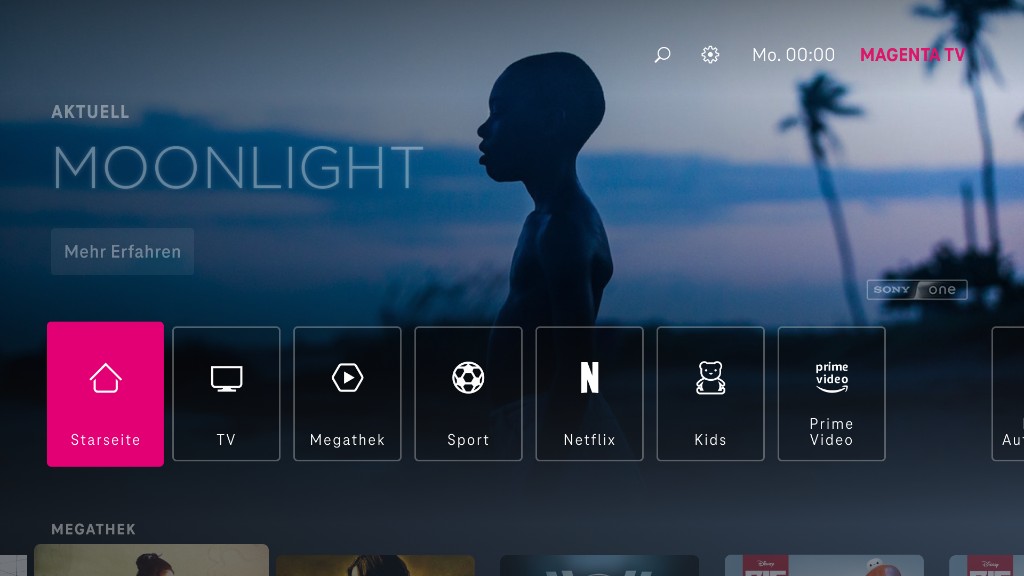
Deutsche Telekom - Magenta TV
Long-term product design for Magenta TV, from mobile redesign through Apple TV, shaping clearer ways to browse, watch, and return to content.
Deutsche Telekom XR Sports
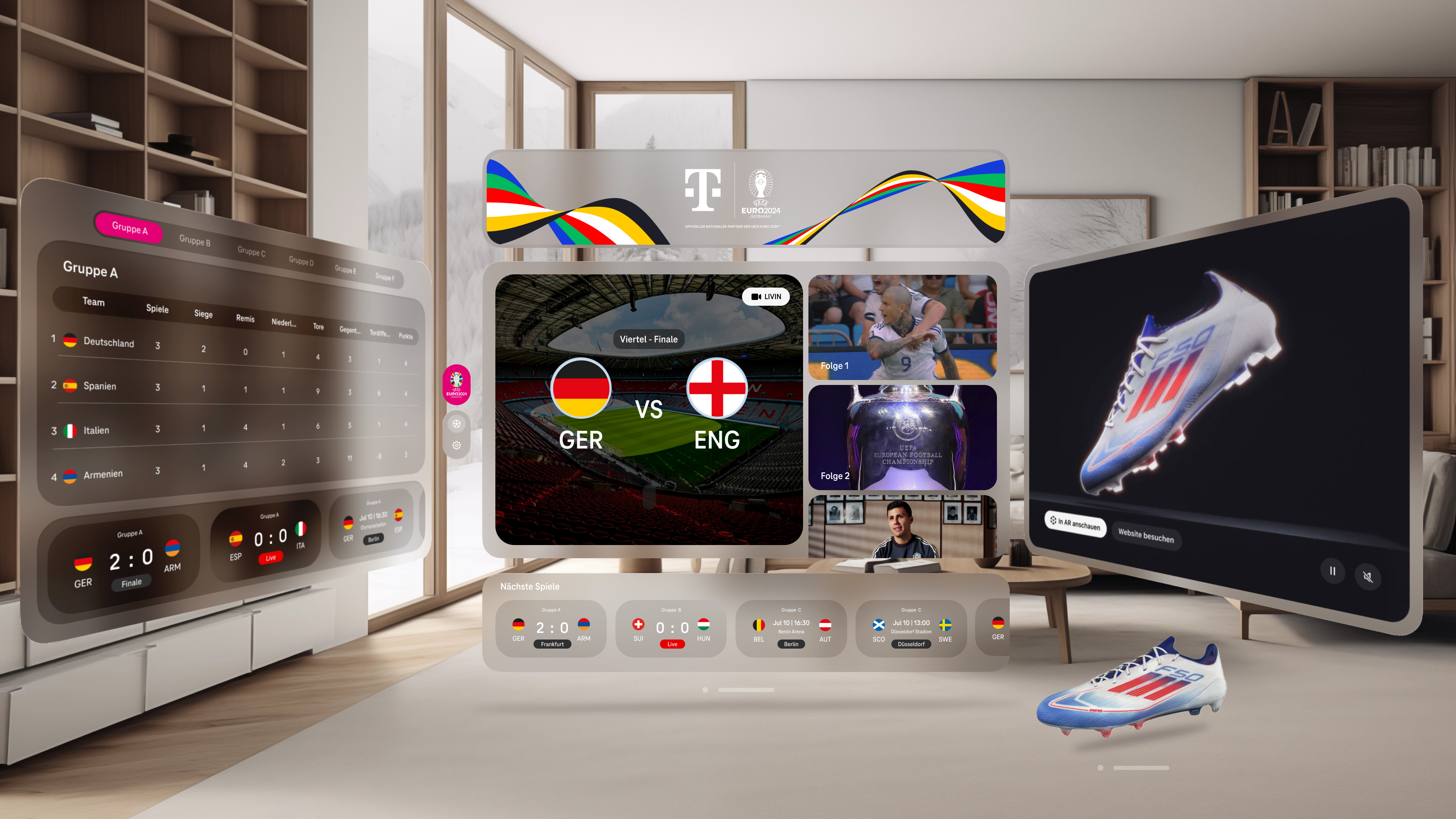
An XR sports experience for EURO 2024 that brought live matches, highlights, and real-time data together across Meta Quest 3 and Apple Vision Pro.